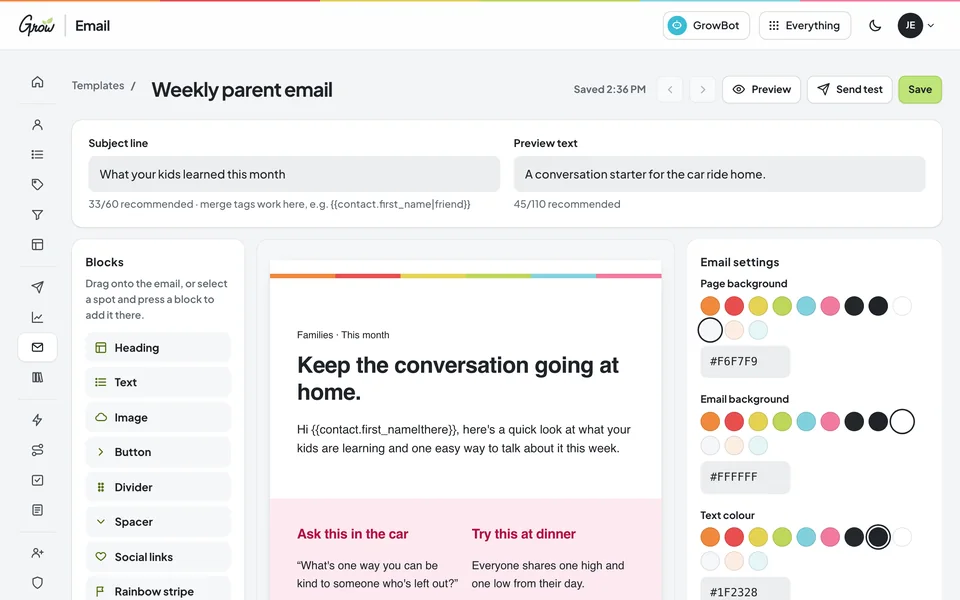
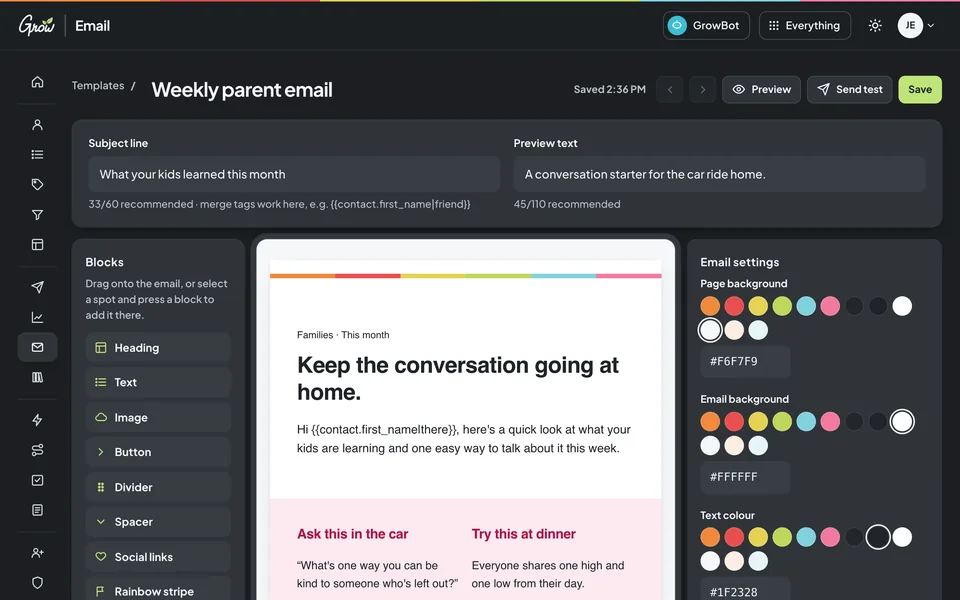
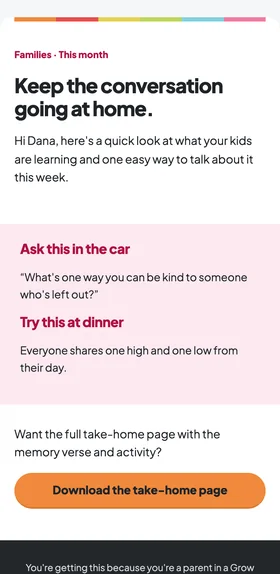
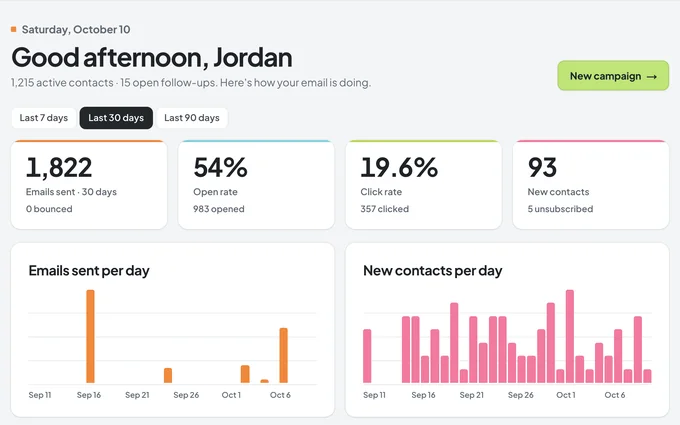
Parent newsletters, volunteer reminders, and a warm welcome for every new family, all in one place. Build each email by dragging in blocks, choose exactly who gets it, and set up follow-ups that run on their own.
Building a parent email, and the family's phoneA parent email on a phone · sample church with fictional names
Sound familiar?
Writing the email is the easy part. Getting it to the right families is not.
A spreadsheet of parent emails, a group text for volunteers, a sign-up sheet on the welcome table, and an email tool built for businesses, not churches. Every week the same messages go out, and every week someone gets missed. That's a tools problem, not a you problem.
Sunday, 12:40 pm
"Wait, who was that new family?"
They filled out a connect card. It's in a basket somewhere. By the time anyone follows up, it's been three weeks.
Thursday, 9:15 pm
The VBS email went to everyone.
Including the empty nesters and the student ministry parents. One list for the whole church means every message lands on the wrong people somewhere.
Every single month
Starting the newsletter from scratch.
Last month's lives in someone's sent folder. So you rebuild the layout, find the photos, and hope the links still work.
You're not behind. You just need email that knows your people.
How it works
Set it up once. Then every family hears from you.
Grow Email keeps your people, your emails, and your follow-ups together, so the right message reaches the right family at the right time.
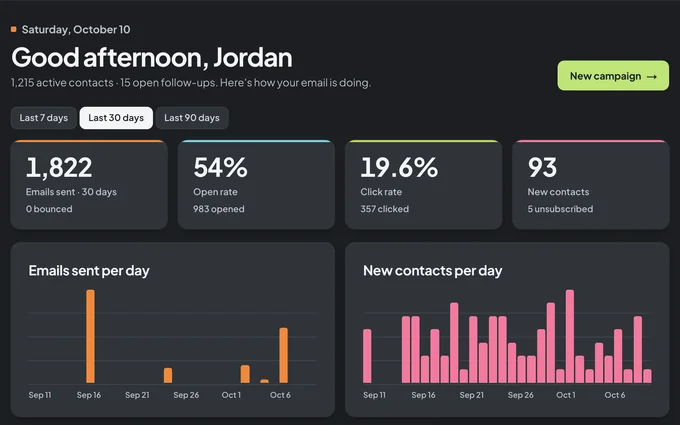
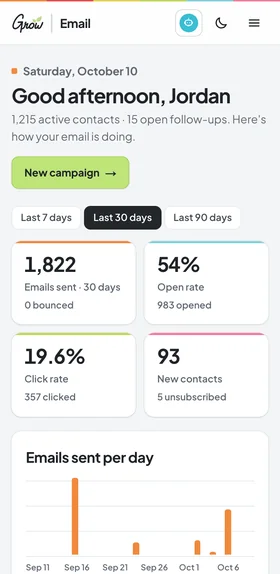
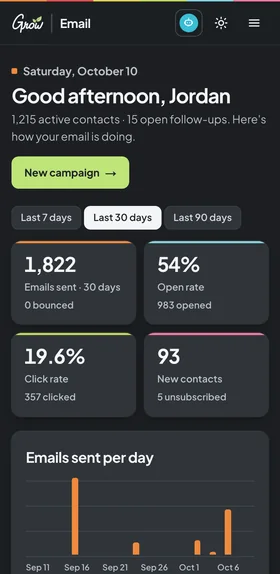
Your dashboard: what went out, who opened, and who's new · sample church, fictional names
Bring your people in
Import a spreadsheet, add a sign-up form to your website, or move everything over from ActiveCampaign. Put each person on the lists they asked for.
Build an email in minutes
Start from a ready-made church template, drag in blocks, and greet each family by first name. Send yourself a test first.
Let the follow-ups run
A new family fills out a connect card and gets a warm welcome email, and someone on your team gets a reminder to call them.
Six tools that stand in for the spreadsheet, the group text, and the clipboard on the welcome table. Pick one to take a look.
Your people
Know who's who, and what they signed up for.
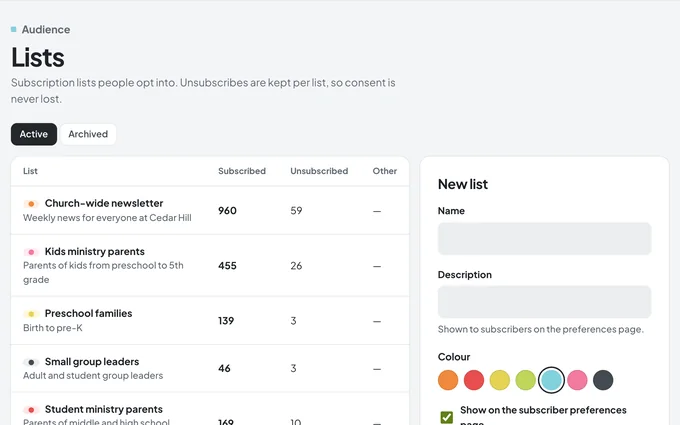
Every parent, volunteer, and guest in one list, with the tags and details that matter to your church. Lists are what people opt into, like the kids ministry newsletter. Tags are your own labels, like "First-time guest."
Lists, tags, and your own custom fields
Saved groups that stay up to date, like "parents who haven't opened in 45 days"
Each person's history: emails, opens, notes, and follow-ups
Import a spreadsheet in a few clicks
Sample church · fictional names
Email builder
Drag, drop, done. No design skills needed.
Drag headings, text, images, buttons, and columns into place, or start from a ready-made template for a parent newsletter, a volunteer thank-you or an event invitation. It saves as you work.
Church-ready templates to start from
Greet each family by first name
Preview on desktop and phone, then send yourself a test
Save your best layouts and reuse them
Sample church · fictional names
Sending
Pick exactly who gets it, and when.
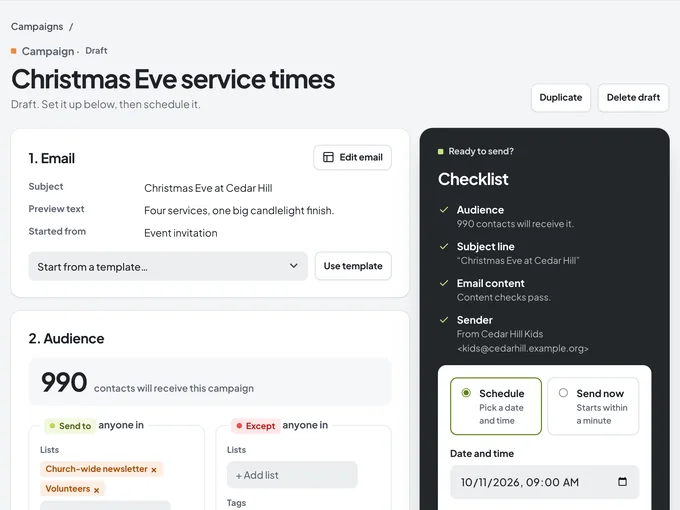
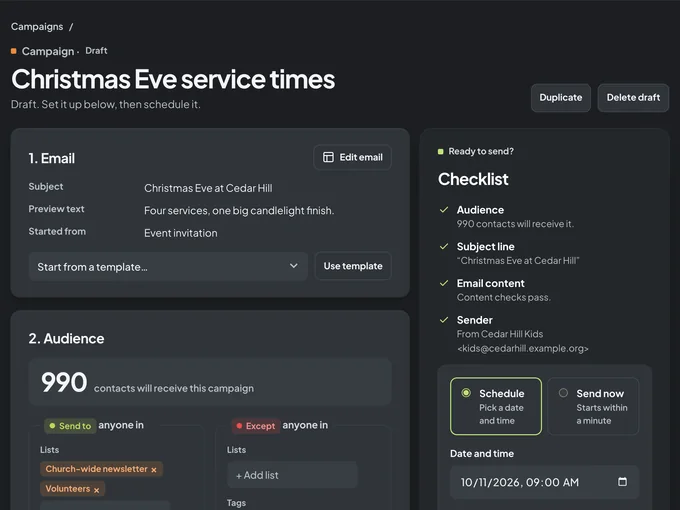
Choose the lists, tags, or saved groups to send to, and anyone to leave out. A checklist confirms the audience, subject line, content, and sender before anything is scheduled.
Send to lists, tags, or saved groups, with exceptions
Schedule for the right moment, or send right away
Try two or three subject lines and keep the winner
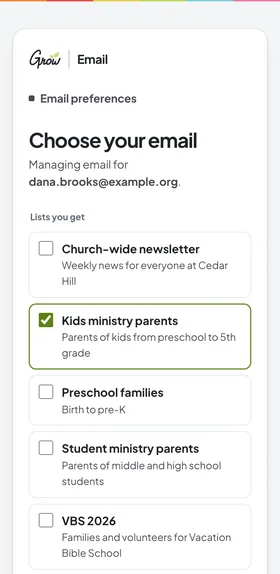
An unsubscribe link and preferences page in every email
Sample church · fictional names
Automations
Follow-ups that happen, even on your busiest week.
Choose what starts it, like a filled-out connect card or a new tag. Then add the steps: send an email, wait a few days, check something, add a tag, or create a reminder for someone on your team.
Starts when someone signs up, gets a tag, or joins a list
Waits, if/else paths, and goals
Creates follow-up tasks for your team
See how many people reached each step
Sample church · fictional names
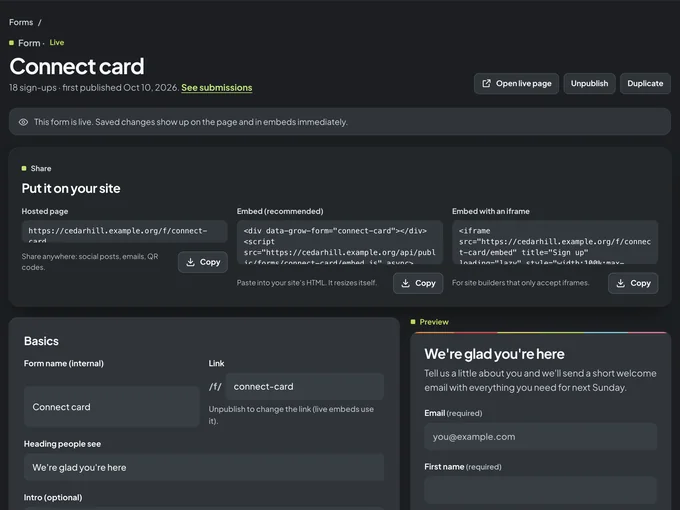
Sign-up forms
A connect card that never gets lost in a basket.
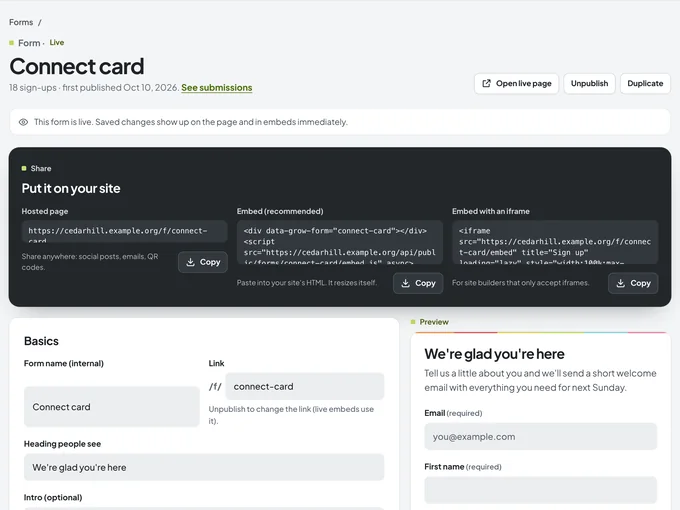
Build a sign-up form, then share its link anywhere, from a social post to a QR code on the welcome table, or paste it into your church website. Every answer becomes a contact, added to the right list with the right tag.
A hosted page you can share anywhere
Embed it on your website with one snippet
Optional confirm-your-email step
Kick off a welcome automation as soon as someone signs up
Sample church · fictional names
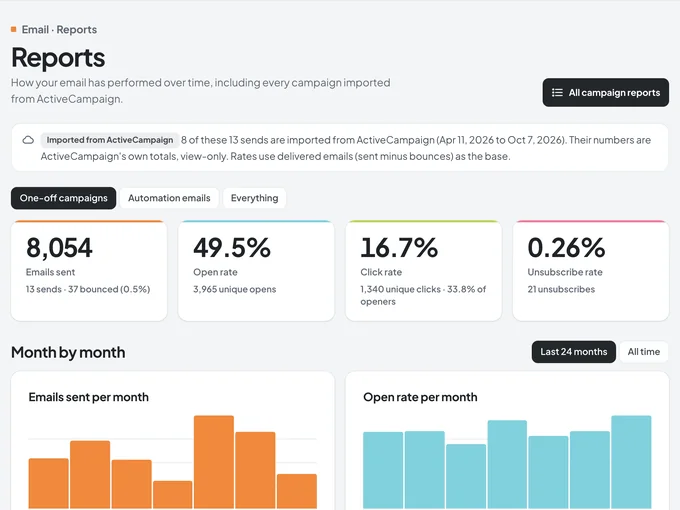
Reports
See who opened, who clicked, and what to try next.
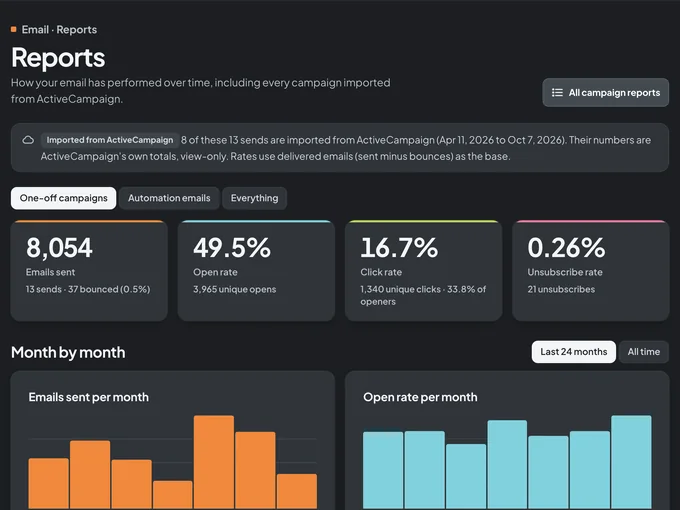
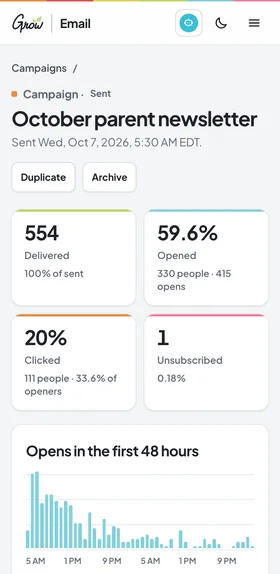
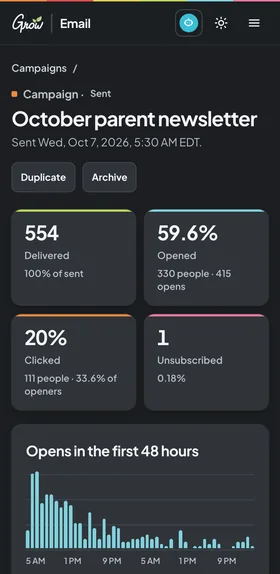
Every email gets a clear report: how many people opened it, who clicked which link, and how many unsubscribed. Month by month, you'll see what your families actually read.
Opens and clicks for every email
A click map of your links
Trends month by month
Past ActiveCampaign reports, side by side
Sample church · fictional names
What you can send
The emails your church sends every week.
Start from a ready-made template, make it yours, and save it to reuse. Here are a few you'll find waiting for you.
Families
Parent newsletter
What kids learned this month, plus a question to ask in the car on the way home.
Volunteers
Volunteer thank-you
A real thank-you for the people who show up every Sunday, and the next way to help.
Events
Event invitation
Family nights, trainings, and VBS, with the date, the place, and a clear way to RSVP.
Welcome
New family welcome
What to expect next Sunday, sent the moment someone fills out a connect card.
Leaders
This week's lesson
The big idea, the prep checklist, and the links your leaders need before Sunday.
Announcements
Something new
A new series, a new service time, or a new resource, with one clear next step.
Journeys and follow-ups
Walk with every new family, from first visit to finding a group.
Set up the steps you care about, like first visit, welcome call, and connected. Each family sits in a step with someone on your team looking out for them, and Grow Email flags anyone who's been waiting too long.
Your own steps, colors, and time targets
A checklist for each step, so nothing is skipped
Follow-up tasks with due dates and email reminders
Drag families from one step to the next
Sample church · fictional names
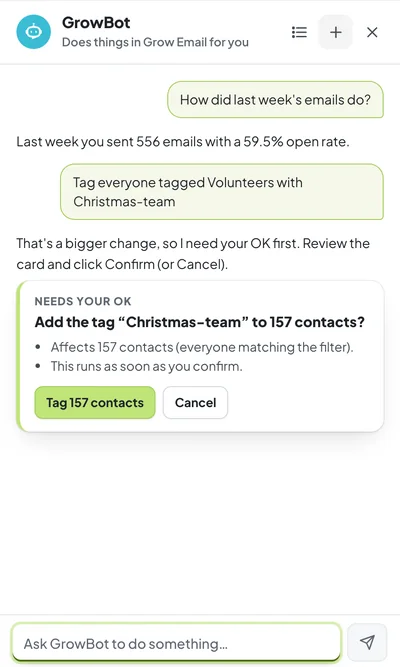
Meet GrowBot
Ask for it in plain words. GrowBot does the clicking.
GrowBot is a helper built into Grow Email. Ask how last week's emails did, find a family, tag a group of volunteers, draft an email from a template, or make a follow-up task. Anything big waits for your OK first.
Finds and updates contacts, tags, and lists
Drafts emails and pulls quick reports
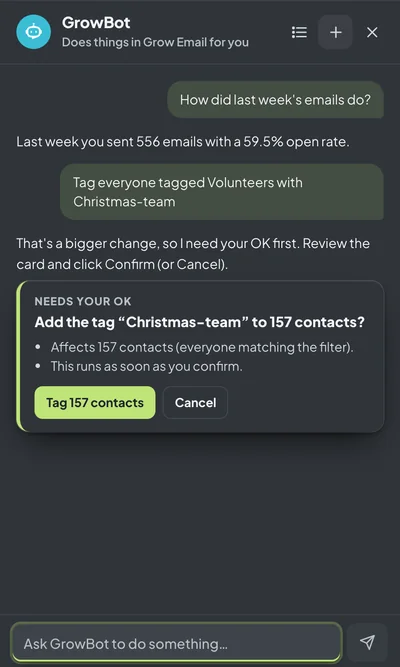
Asks you to confirm before big changes, like tagging lots of people or scheduling a send
Only does what your role in Grow Email allows
Included in Grow Email.
GrowBot in Grow Email · sample church
Moving from ActiveCampaign
Bring your list, your history, and your favorite emails with you.
Already on ActiveCampaign? Our team can copy your account into Grow Email, so you don't start over. Past campaigns show up with their original numbers, marked "Imported," right next to your new ones.
Contacts and their lists
Tags and custom fields
Unsubscribes and bounces
Past campaign reports
Your email templates
Deals and their stages
Nothing gets sent by surprise. The import only reads from ActiveCampaign and never emails anyone. Your most-used automations come over as drafts for you to check, and anyone who unsubscribed stays unsubscribed.
Imported sends next to new ones · sample church, fictional data
App tour
A look around Grow Email.
Real screens from the app, with a sample church and fictional names. It looks and works like the other Grow tools, in light or dark mode, on a computer or a phone.
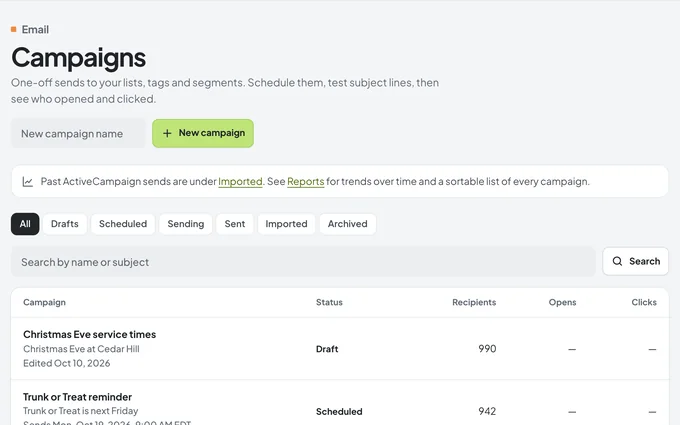
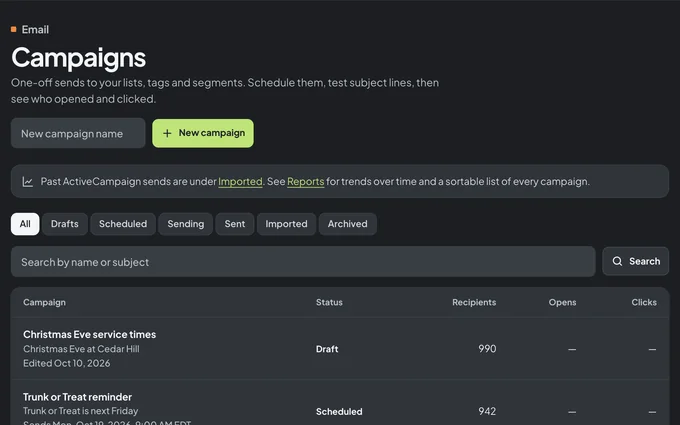
Campaigns. Every email you've sent or scheduled, with how it did.
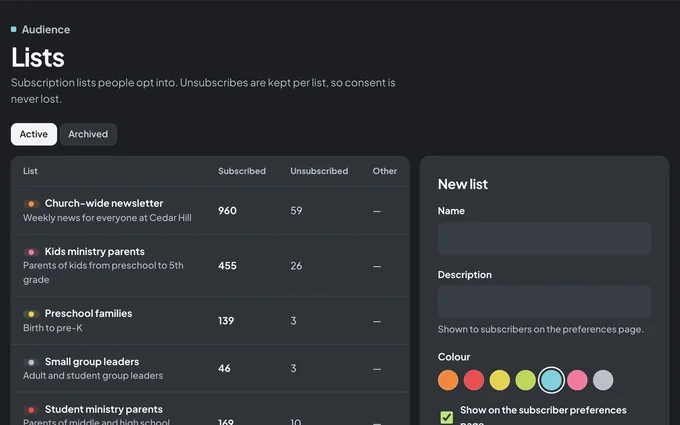
Lists. People choose what they get, and unsubscribes are kept list by list.
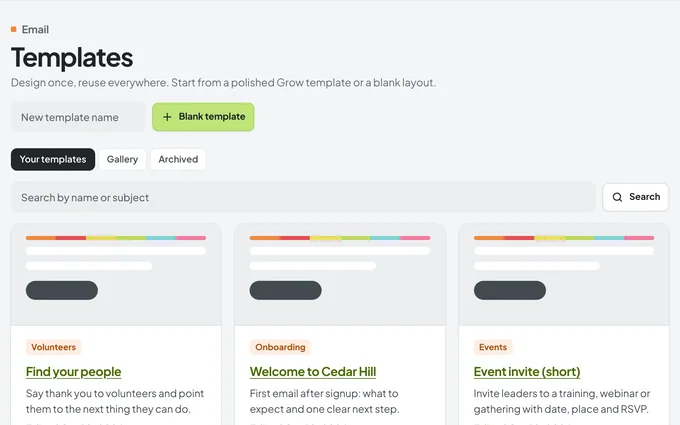
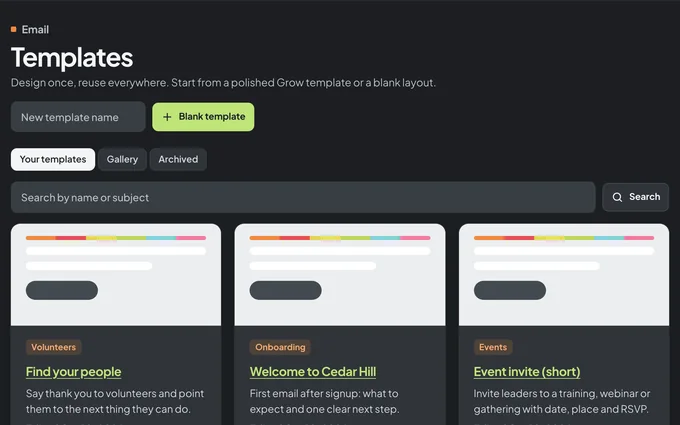
Templates. Start from a church-ready design instead of a blank page.
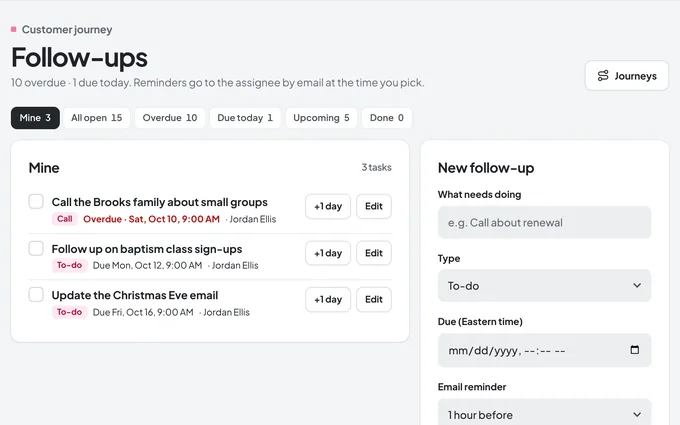
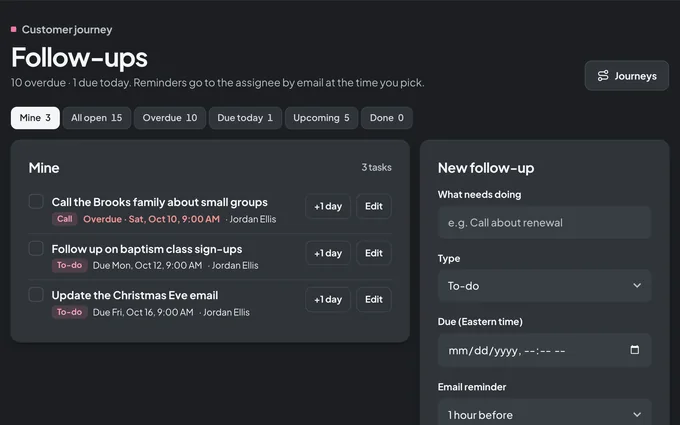
Follow-ups. Who needs a call this week, and who's on it.
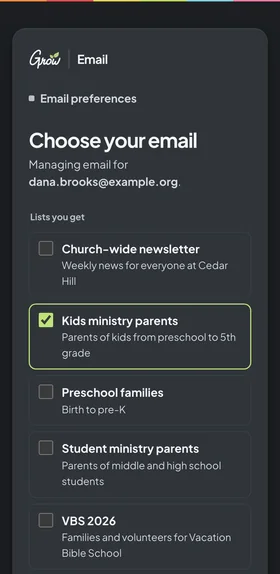
DashboardA reportA parent's preferences
Real screens from Grow Email, with a sample church and fictional names. Use the moon or sun button to see them in dark or light mode.
Pricing
Try it free for 10 days.
One simple plan for your whole team. After your trial, pay monthly or save with a year.
Grow EmailMonth to month
Monthly
Flexible. Pay as you go, one month at a time.
$9.97/month
After your 10-day free trial
Everything in Grow Email
Contacts, lists, tags, and saved groups
Drag-and-drop emails and templates
Automations, journeys, and follow-ups
Sign-up forms and reports
GrowBot, your in-app helper
Grow EmailBest value
Save $22.64 a year
Yearly
One payment for the whole ministry year.
$97/year
About $8.08/month after your 10-day free trial
Everything in Grow Email
Contacts, lists, tags, and saved groups
Drag-and-drop emails and templates
Automations, journeys, and follow-ups
Sign-up forms and reports
GrowBot, your in-app helper
Grow CurriculumFull set
The whole Grow toolbox
Grow Curriculum gives your ministry a full year of lessons, plus the Grow tools that go with them.
One plan for your whole team: $9.97 per month or $97 per year, after a 10-day free trial. There's no per-person price.
Do I need Grow Curriculum to use Grow Email?
No. Grow Email works for any church, whatever curriculum you use. If you're curious about Grow Curriculum, you can try free samples.
Can volunteers and other staff help?
Yes. Invite your team by email and give each person the right role. Editors can build emails and automations, viewers can look without changing anything, and only admins can send an email or turn on an automation.
We're on ActiveCampaign. Can we bring everything with us?
Yes. Our team can copy your contacts, lists, tags, custom fields, unsubscribes, templates, and past campaign reports into Grow Email. The import only reads from ActiveCampaign and never sends an email. Your most-used automations come over as drafts so you can check them first. Book a Zoom call to plan your move.
Can we import a spreadsheet instead?
Yes. Upload a CSV file, match its columns to names, emails, and your own fields, and choose a list and tags for everyone in it.
How do people unsubscribe?
Every email has an unsubscribe link and a preferences page, where a parent can choose which lists to keep and which to drop. If someone unsubscribes from everything, Grow Email stops emailing them.
What is GrowBot, and is it safe to use?
GrowBot is a helper built into Grow Email. You ask in plain words, and it finds contacts, tags people, drafts emails, pulls reports, and makes tasks for you. It only does what your role allows, and anything big, like tagging lots of people, scheduling a send, or deleting something, waits until you click to confirm.
Does it work on phones?
Yes. Grow Email runs in the web browser, so it works on any phone, tablet, or computer, in light or dark mode.
Will our emails look good on phones?
Yes. Emails are built to fit any screen, and you can preview the desktop and phone versions, or send yourself a test, before anything goes out.