Grow Social · for kids, student and family ministry
Your ministry’s social media,already planned.
Schedule your posts to Facebook, Instagram, YouTube and your Grow Hubs from one calm queue. If you use Grow Curriculum, Grow’s own posts for every series are already written, with the graphics.
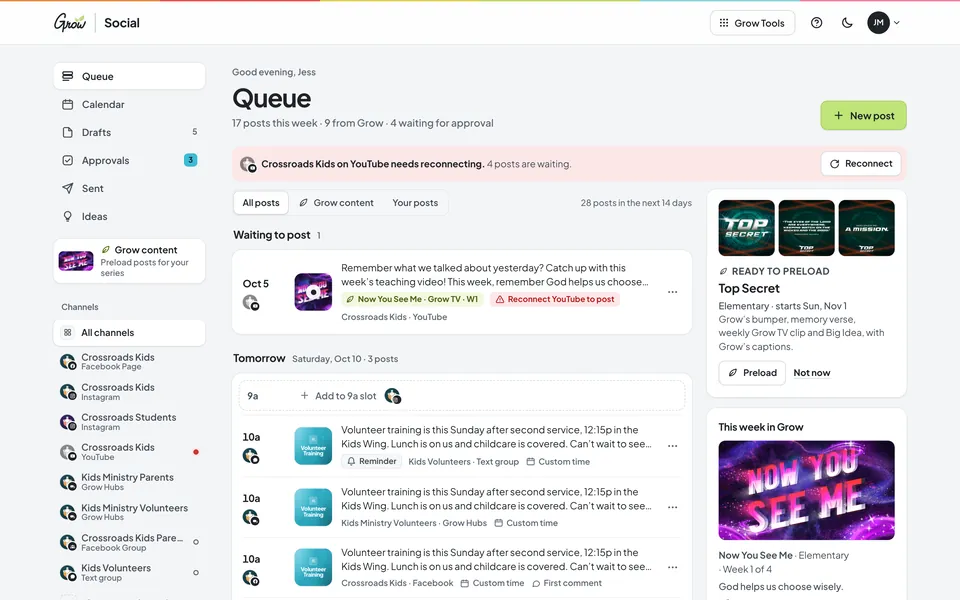
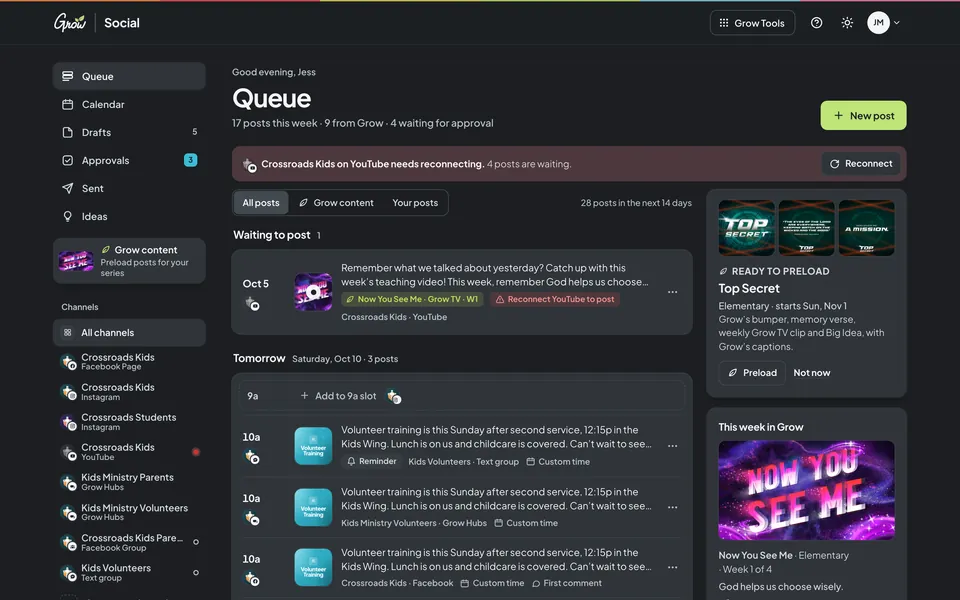
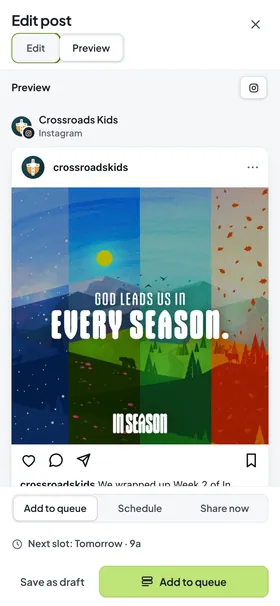
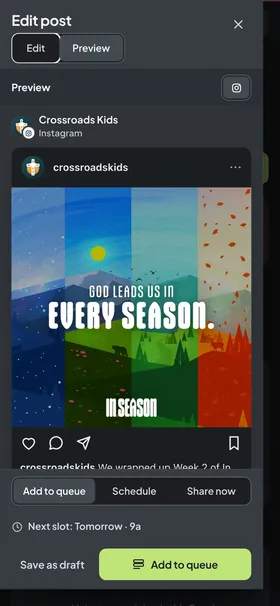
Grow Social on desktop and phoneGrow Social on a phone · sample church with fictional names · series art and captions from Grow
Sound familiar?
Posting about Sunday shouldn’t be another Sunday job.
You know families want to hear what their kids learned. But the post gets written in the parking lot, or not at all. That’s a tools problem, not a you problem.
Sunday, 9:58 pm
The late-night post.
Hunting for the Big Idea graphic, retyping the caption, then doing it again for Instagram and the parents group.
Every week
Five apps, one message.
Facebook, Instagram, the parent group, the volunteer text thread. Each one wants the same news in its own way.
Wednesday
A volunteer wants to help.
They have a great photo and a caption, but no password. So it waits in your texts until you remember it.
You don’t need a social media team. You need next week’s posts to already be ready.
How it works
Three steps, and the month is planned.
Grow Social posts to the channels your families actually use, at the times you pick. Facebook Groups and text groups get a reminder on your phone, because no app can post there.
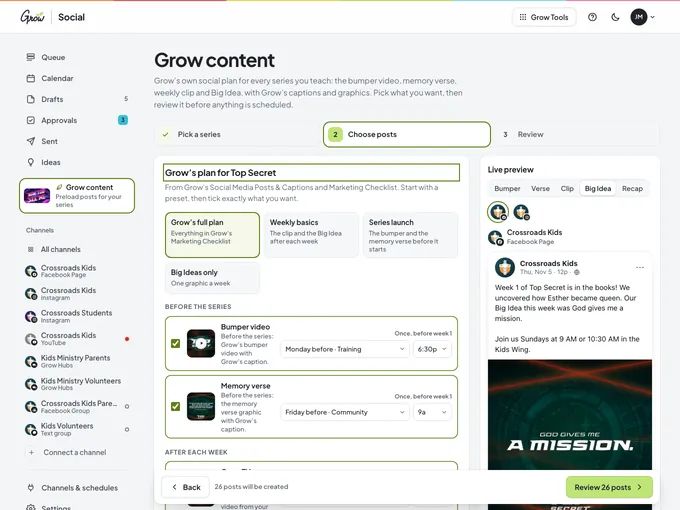
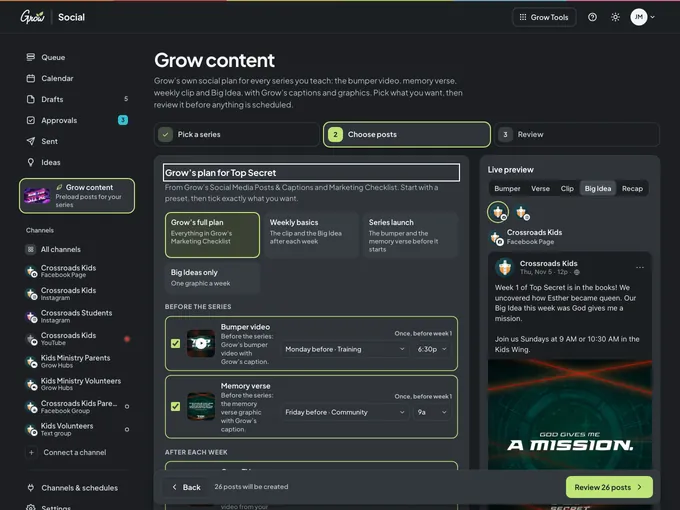
Grow’s plan for a series, ready to schedule. Sample church · fictional names.
Connect your channels
Your ministry’s Facebook Page, Instagram and YouTube, plus your Grow Hubs. Add Facebook Groups and text groups as reminders.
Write once, or start from Grow
Write one post for every channel, or pick a Grow series and Grow’s posts load with their captions and graphics.
Add it to the queue
Each post drops into the next open time for that channel. Volunteers can draft, and you approve.
Everything a ministry needs to post well, and nothing it doesn’t.
Six parts of Grow Social that replace the late-night post and the five-app shuffle. Pick one to take a look.
Queue
Every post in one calm list.
See everything going out, by day, with each post’s series art. Add a post and it drops into the next open time for that channel. Reorder by dragging, or with the keyboard.
Open times you can fill with one click
Drag to reorder, or Space and the arrow keys
Pause a channel without losing its order
Filter to Grow posts or your own
Sample church · fictional names · Grow series art
Calendar
See the whole month at a glance.
Week and month views show what’s going out where, with the art you’re posting. Drag a post to another day to move it.
Week and month views
One chip per post, with every channel it goes to
Drag to reschedule
A calm day-by-day list on phones
Sample church · fictional names · Grow series art
Previews
Know exactly how it will look.
Write once and see the real shape of the post on each network: a Facebook post, an Instagram Reel or feed post, a YouTube video, a Grow Hubs announcement, or the message for your group chat.
Facebook, Instagram, YouTube and Grow Hubs previews
Customise the text for one network
Character limits and checks as you type
Your service times on their own line
Sample church · fictional names · Grow series art
Approvals
Volunteers draft. You approve.
Contributors write posts and send them to you. Approve with one click, or send it back with a note. Nobody shares a password.
Leader and Contributor roles
Approve, or request changes with a note
Drafts for ideas that aren’t ready
Everything stays in one place
Sample church · fictional names · Grow series art
Channels
Where your families actually are.
Connect your Facebook Page, Instagram and YouTube, and post to your Grow Hubs. Facebook Groups and text groups get a reminder on your phone, with the caption copied.
Facebook Pages and Instagram professional accounts
YouTube and Grow Hubs
Reminders for Facebook Groups and text groups
A posting schedule for every channel
Sample church · fictional names · Grow series art
Start page
One link for your bio.
A simple page with your links and the Grow series you’re teaching right now. Put it in your Instagram bio or on a QR code at the welcome desk.
Your links, in the order you choose
This season’s Grow series art
Your recent posts
Your church’s colours
Sample church · fictional names · Grow series art
Better with Grow Curriculum
Already using Grow? Your posts are already written.
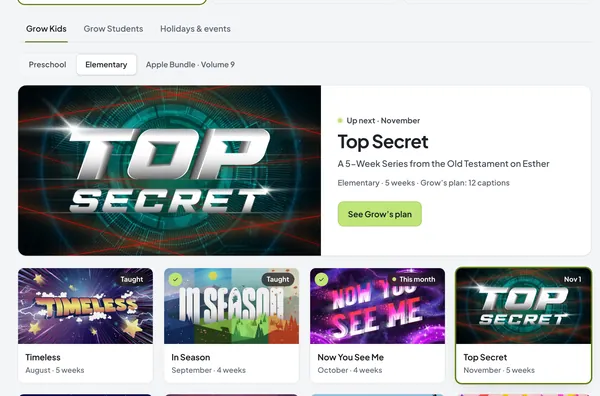
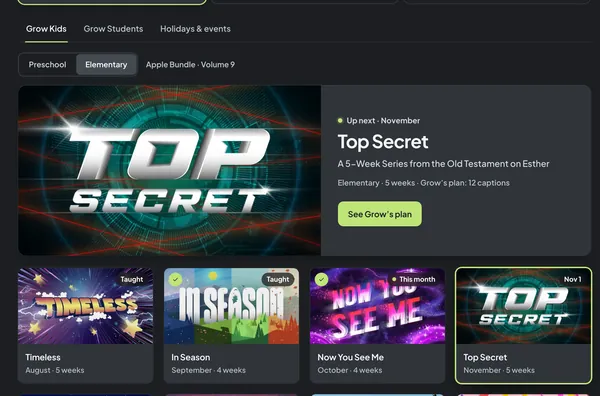
The Grow Subscription includes Grow Social. Pick a series, and Grow’s own social plan loads: the bumper video and memory verse before it starts, then the Grow TV clip and Big Idea after every week, each with Grow’s caption and graphic. Review it, then add it to your queue.
Preschool, Elementary, Students and VBS
Every series of the volumes you own
Grow’s captions, word for word, with your service times underneath
Grow Social is a social media scheduler for kids, student and family ministry. You write a post once, pick your channels, and it goes out at the times you choose. Volunteers can draft posts for a leader to approve.
How does the free trial work?
You get 10 days of full access right away. After that, choose $9.97 per month or $97 per year to keep going.
Is Grow Social included with Grow Curriculum?
Yes. Grow Social is included with the Grow Subscription. Lesson Builder, Grow Slides and Grow Hubs come with every Grow Curriculum plan. Log in with your Grow account to get started.
Do I need Grow Curriculum to use Grow Social?
No. Anyone can subscribe to Grow Social on its own and use every part of the scheduler. If you use Grow Curriculum, Grow’s social plan for your series comes preloaded.
Which networks can it post to?
Facebook Pages, Instagram professional accounts, YouTube, and your Grow Hubs. Facebook Groups and text groups (like WhatsApp or Messages) don’t allow apps to post, so Grow Social sends you a reminder at post time with the caption copied and the media ready to save. TikTok, Snapchat and Threads are planned for later.
Where do the Grow posts come from?
From the Social Media Posts & Captions and the graphics that come with every Grow series: the bumper video, memory verse, weekly Grow TV or One-Minute Sermon clip, and Big Idea. Grow’s captions stay word for word; your service times or a link can go on a separate line underneath.
Can volunteers help without our passwords?
Yes. Invite them as Contributors. They write and schedule drafts, and a Leader approves each post before it goes out. Nobody shares a password.