Grow Teams · for church and ministry staff · for church staff
Take care of your staff, not the paperwork.
Your staff directory, time off, onboarding, documents to sign, and approvals live together in Grow Teams. Everyone knows who’s out, new hires are ready on day one, and the handbook actually gets signed.
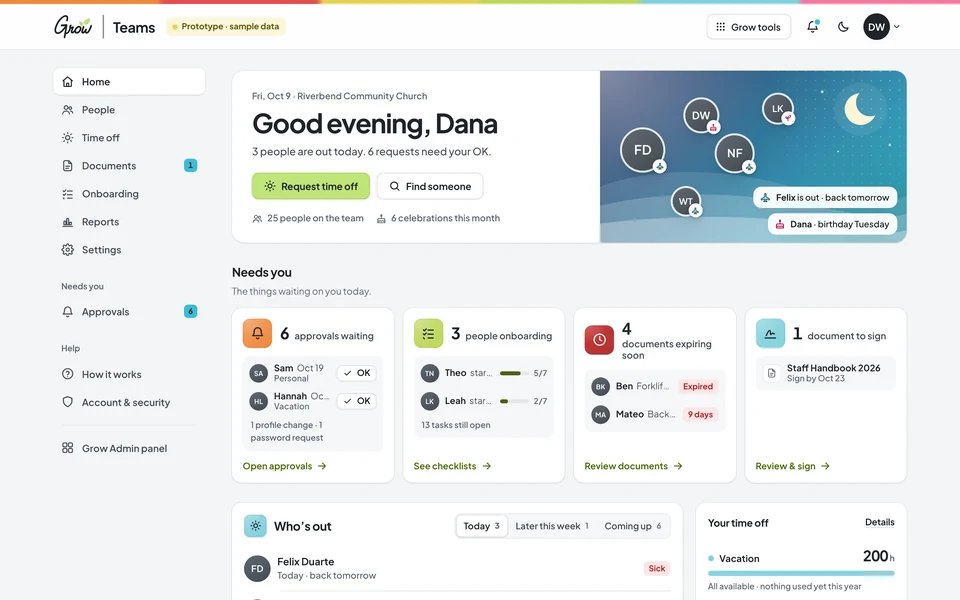
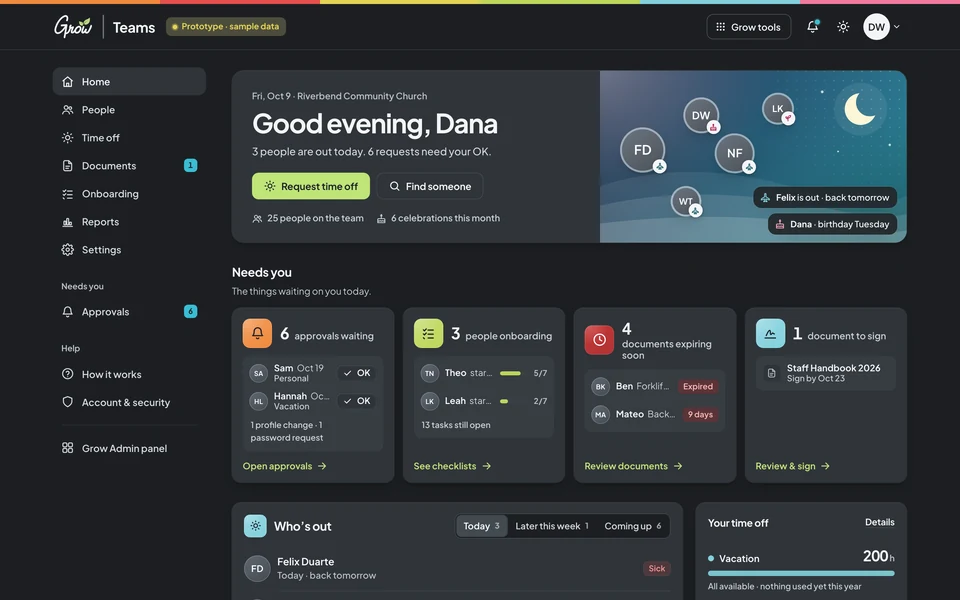
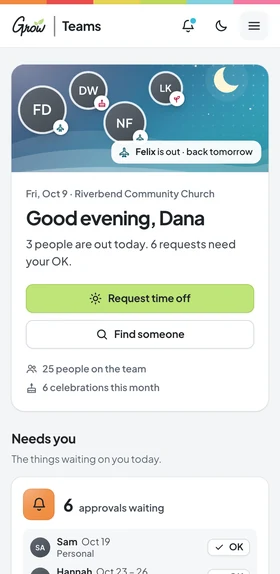
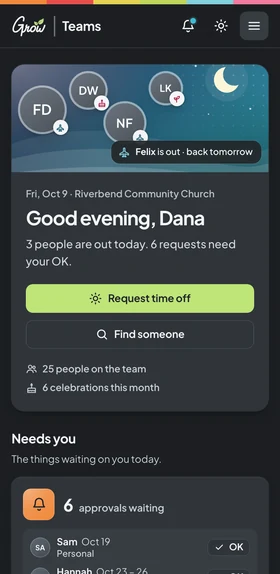
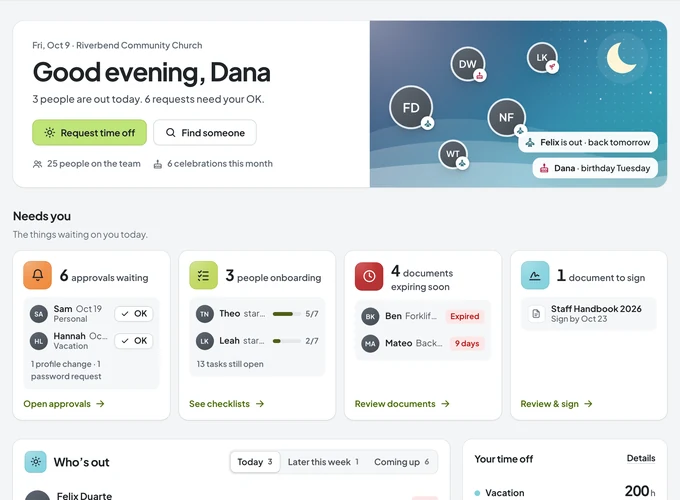
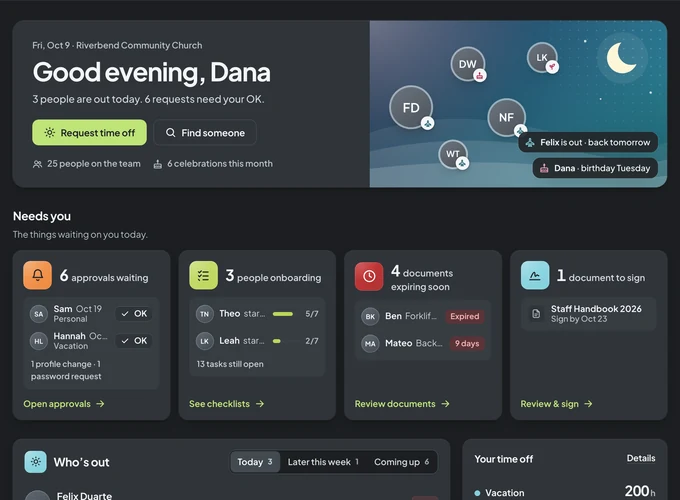
Grow Teams on desktop and phoneGrow Teams on a phone · sample church with fictional names
Sound familiar?
Your team is growing. The spreadsheet isn’t keeping up.
Time off lives in texts, the handbook lives in a shared drive, and the new hire’s paperwork lives in someone’s inbox. That’s a tools problem, not a you problem.
Sunday, 7:40 am
“Wait, who’s out today?”
The kids wing is short a leader, and the only record of the vacation request is a text from three weeks ago.
A new hire’s first day
Nobody ordered the laptop.
The welcome plan was a sticky note. Now your new worship leader is filling out a W-4 on a clipboard in the lobby.
Before the board meeting
“Did everyone sign the handbook?”
You think so. Proving it means digging through folders, emails and a box in the office closet.
You’re not disorganized. Your staff just needs one place to look.
How it works
Set up in an afternoon. Calmer by Sunday.
No consultant and no training day. If your staff can open a link, they can request time off and sign the handbook.
The home page every staff member sees · sample church, fictional names
Bring your people in
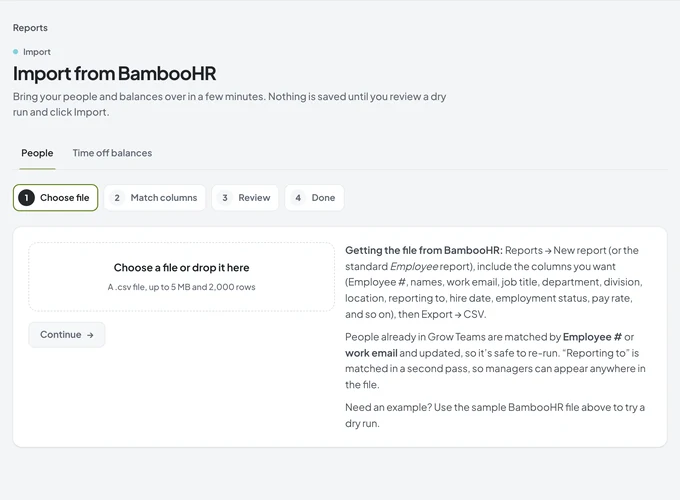
Import a BambooHR export with a dry run first, or add people one at a time. Departments, locations and managers come along.
Set your policies
Start from ready-made vacation, sick and personal policies, match them to your handbook, and assign them to everyone at once.
Invite your staff
Each person gets a private, single-use link. They sign in, see their balances, request time off and sign what’s waiting.
Six tools that stand in for the spreadsheet, the shared drive and the group text. Pick one to take a look.
People
Everyone’s info, finally in one place.
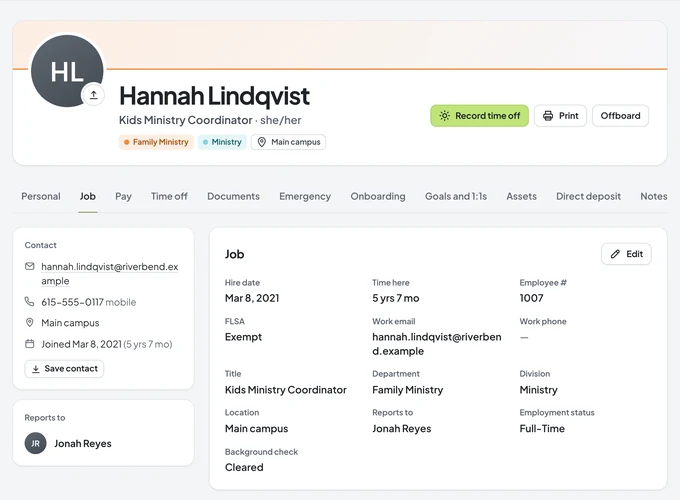
A searchable directory and org chart for the whole staff, and a profile for each person with their job history, pay, emergency contacts and equipment. Sensitive fields are encrypted and only HR sees them.
Directory and a zoomable org chart
Job history, pay history and custom fields
People update their own details, with your approval where you want it
Managers see their team; everyone sees the directory
Sample church · fictional names
Time off
Requests, balances and who’s out, without the texts.
Staff request time off and see their own balances. Their manager approves it. Accruals, carry-over and holidays follow the policies you set, and the shared calendar shows who’s out before Sunday morning.
Vacation, sick and personal policies that accrue on their own
Approvals that go to the right manager
A who’s-out calendar, plus a feed for your own calendar app
Company holidays and half days
Sample church · fictional names
Onboarding
New hires ready on day one.
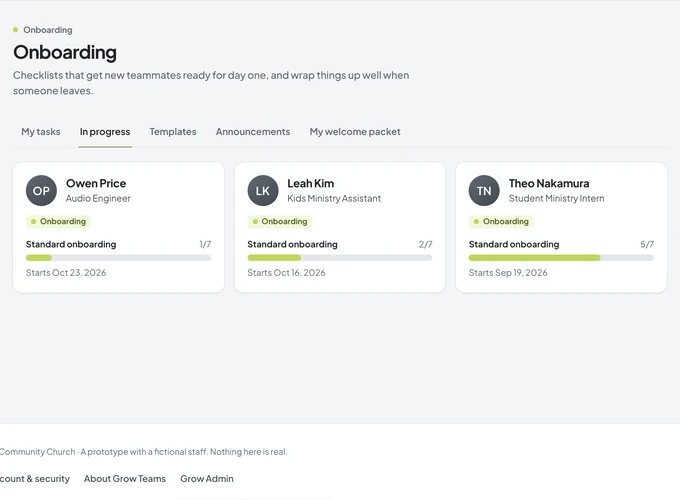
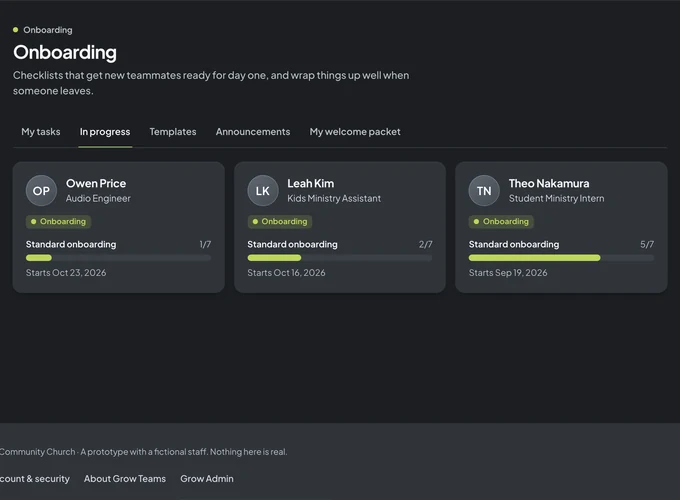
Pick a checklist when you add someone. Tasks go to the new hire, their manager and HR with due dates around the start date, and the new person gets a welcome page with where to park, when to arrive and what to bring.
Onboarding and offboarding checklists you can edit
Tasks for the new hire, the manager and HR
A welcome page for the first day
Progress for everyone who is starting soon
Sample church · fictional names
Documents
The handbook gets read. And you can prove it.
Keep the handbook, policies and forms in one library. Ask everyone, or just the kids and student teams, to read and sign. Each signature gets a certificate. Private files like background checks stay on each person’s profile, with a reminder before they expire.
Read-and-sign requests with due dates
A signature certificate for every signature
Private files per person, HR-only when you choose
Expiry dates for background checks and certifications
Sample church · fictional names
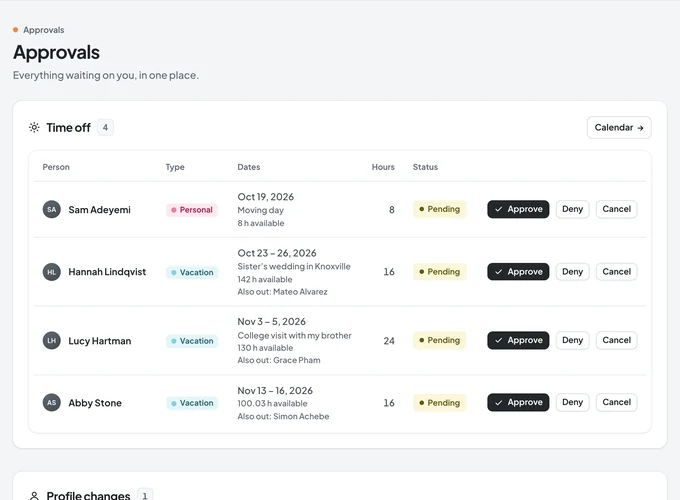
Approvals
One inbox for everything waiting on you.
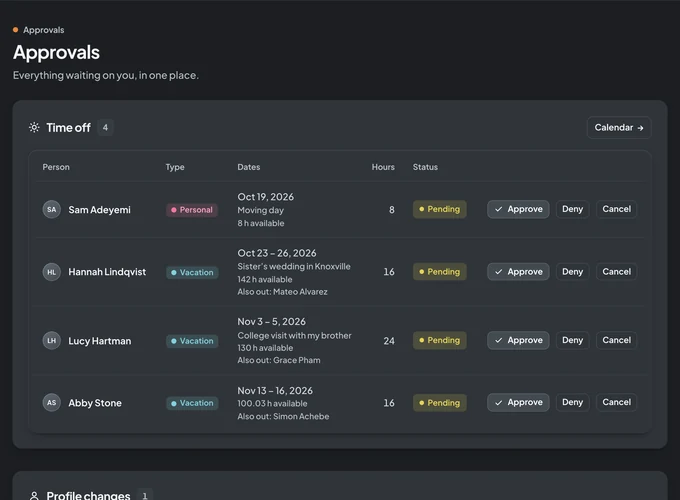
Time-off requests, profile changes and password help land in one place for the right person. Approve from the inbox or straight from the home page, and the balance updates on its own.
Time off goes to each person’s manager
Profile changes you want to check first
Password help without a support ticket
An audit log of every change
Sample church · fictional names
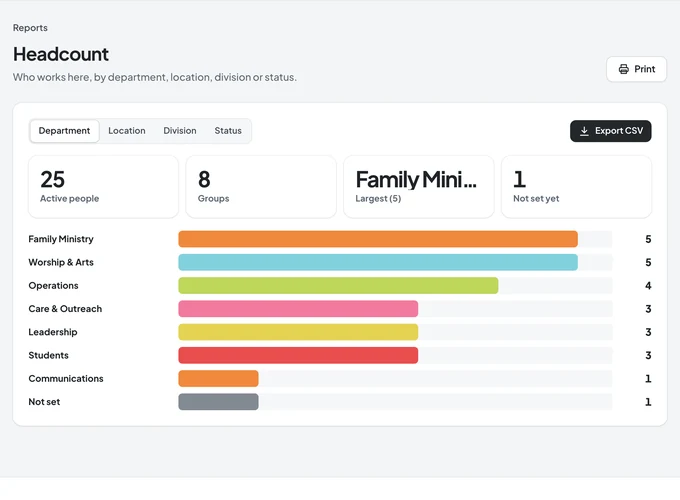
Reports
Answers for the board, in a click.
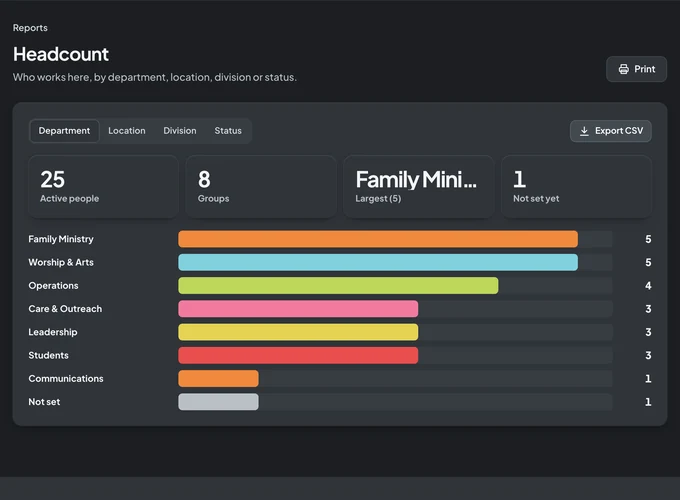
Headcount by department or campus, turnover, time off taken, birthdays and anniversaries, and a salary report only HR can open. Export any of them, or build your own list of fields.
Headcount, turnover and time-off reports
Celebrations: birthdays and work anniversaries
A confidential salary report, logged when it’s viewed
CSV exports and a full data export
Sample church · sample numbers
Made for ministry teams
Built for the way churches are staffed.
Full-time pastors, part-time coordinators, hourly custodians and interns, across one campus or several. Grow Teams keeps each of them in the right place.
Executive pastors & ops
One place for every staff record, policy and report, instead of a spreadsheet only you understand.
Ministry directors
Approve your team’s time off, see who’s out this weekend, and welcome new hires properly.
Kids & student teams
Child-safety policies signed by everyone who serves, and background checks with an expiry reminder.
Part-time & hourly staff
Their own balances, requests and documents on any phone, without needing to ask the office.
Multi-campus churches
Locations, departments and divisions for every campus, with a directory that spans them all.
Finance & HR leads
Pay history, a confidential salary report and a full export when the auditor asks.
Switching from BambooHR
Bring your people with you. Check it before anything is saved.
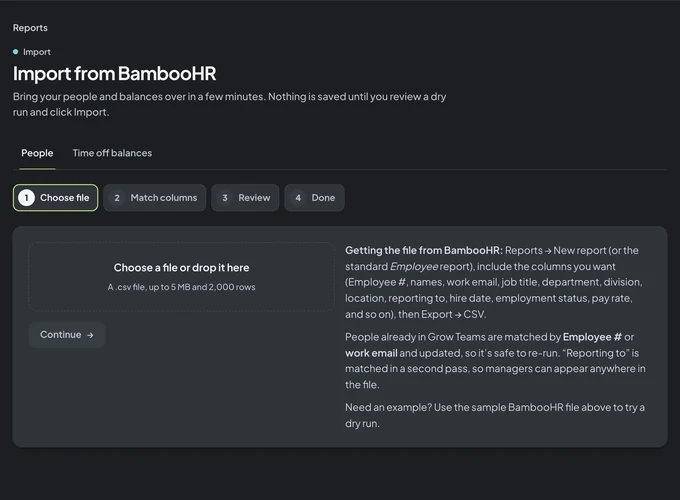
Export your employee report from BambooHR as a CSV and drop it into Grow Teams. Match the columns, review a dry run with every row explained, then import. Time-off balances come over the same way.
Names, jobs, departments, managers and pay
A dry run that flags problems row by row
Safe to re-run: existing people are updated, not duplicated
Questions about moving over? We’re happy to help.
The BambooHR importer · sample data
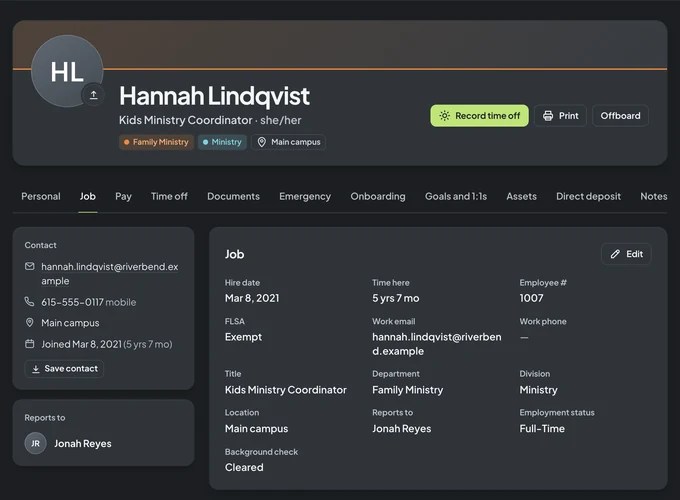
A staff profile · fictional person
Private by design
People data deserves care.
Each person sees what they should and nothing more. Managers see their own team. Pay, birthdays and bank details stay with HR, and every sensitive change is written to an audit log.
Admin, manager and employee roles
Encrypted sensitive fields
Two-step sign-in for admins
An audit log of changes
Your real options
How Grow Teams compares to what you use now.
Most churches use some mix of these, and each one is good at something. Here’s an honest look at where Grow Teams fits.
Spreadsheets, shared drives, big HR suites, and Grow Teams compared
Feature
SpreadsheetsSheets
Shared drivesDrives
Big HR suitesSuites
TeamsGrow Teams
A staff directory everyone can use
Time-off requests, approvals and balances
Read-and-sign with proof of who signed
Onboarding checklists for new hires
Each person sees only what they should
Priced for a church staff
Payroll and benefits enrollment
YesSometimes, or with extra workNo
Grow Teams doesn’t run payroll. Keep your payroll provider and use Grow Teams for everything around it.
Pricing
Try it free for 10 days.
You get instant access the moment you sign up. After your trial, pick the plan that fits your budget.
Grow TeamsMonth to month
Monthly
Flexible. Pay as you go, one month at a time.
$9.97/month
After your 10-day free trial
Everything in Grow Teams
Staff directory, profiles & org chart
Time off, balances & approvals
Onboarding & offboarding checklists
Documents with read-and-sign
Reports & the BambooHR importer
Grow TeamsBest value
Save $22.64 a year
Yearly
One payment for the whole ministry year.
$97/year
About $8.08/month after your 10-day free trial
Everything in Grow Teams
Staff directory, profiles & org chart
Time off, balances & approvals
Onboarding & offboarding checklists
Documents with read-and-sign
Reports & the BambooHR importer
Instant access.No sales call and no waiting. Your directory can be live this afternoon.
You get 10 days of full access right away. After that, choose $9.97 per month or $97 per year.
Is the price per person?
No. It’s one price for your church: $9.97 per month or $97 per year, whether your staff is five people or fifty.
Can we move over from BambooHR?
Yes. Export your employee report from BambooHR as a CSV, match the columns in Grow Teams, and review a dry run before anything is saved. Time-off balances import the same way, and re-running an import updates people instead of duplicating them.
Does Grow Teams run payroll?
No. Keep your payroll provider. Grow Teams keeps each person’s pay history and gives you exports, and it handles the people side: directory, time off, onboarding, documents and approvals.
Who can see what?
There are three roles. Admins see and manage everything. Managers see their own team’s time off and approve it. Everyone else sees the directory and their own profile, time off and documents. Pay, birthdays and bank details stay private, sensitive fields are encrypted, and changes are written to an audit log.
How do staff sign documents?
Ask everyone, or a chosen group, to read and sign a document by a due date. Each person opens it, types their full name and confirms. Grow Teams records the time and keeps a signature certificate you can download.
Does it work on phones?
Yes. Grow Teams runs in the web browser, so it works on any phone, tablet or computer. Staff can request time off, check balances and sign documents from their phone.
Does Grow Teams send emails?
Not yet. Invites and password resets are private links you copy and send yourself, by text or email, so nothing lands in a spam folder.